
Tutorial
Tritium is a agentic drafting environment built for lawyers. Fire it up to experience features built for transactional lawyers.
Working with Folders
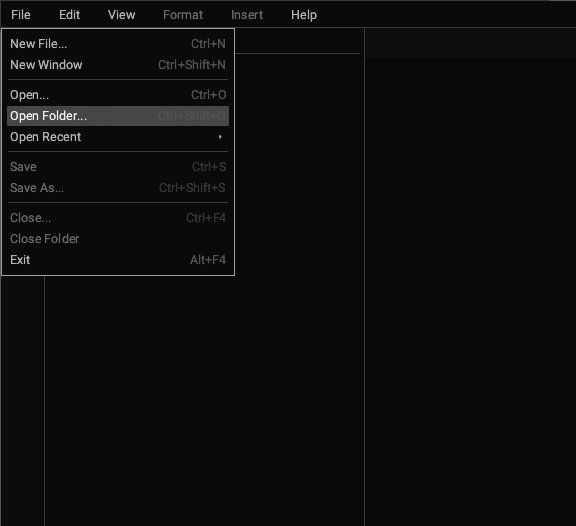
Open a folder with Ctrl+Shift+O to get started.
Tritium expects your matters to be grouped together on the filesystem or in your document management system and will treat each file as a member of the same suite of documents.
Editing Documents
If you don't have a folder to work with, just create a new file to experience customized word processing for lawyers.
Searching Across Documents
Search across all of the documents in the suite in real-time with Ctrl+Shift+F.
Redlining Documents
Tap Ctrl+Shift+G to produce minimal difference redlines directly in your word processor instantly.
Or select files from your library to redline against each other.
Working with Defined Terms
Tritium identifies defined terms and annotates them for you.
Click through to navigate within and between documents within the suite.
Reviewing PDFs
Review PDFs alongside drafting your Word-compatible documents.
Directing Your Agents
Tritium integrates with state-of-the-art foundation models offered by OpenAI, Anthropic, Google and others, or with your own proprietary model.
Tritium passes your open documents as context to the LLM and allows you to interrogate and edit your Word documents and PDFs using an AI agent without leaving your application. Hit Ctrl+Shift+K to ask the LLM a question about your documents or have it recommend some edits.
Tritium can be configured to use your LLM provider of choice at deployment.